Cisco

Switch

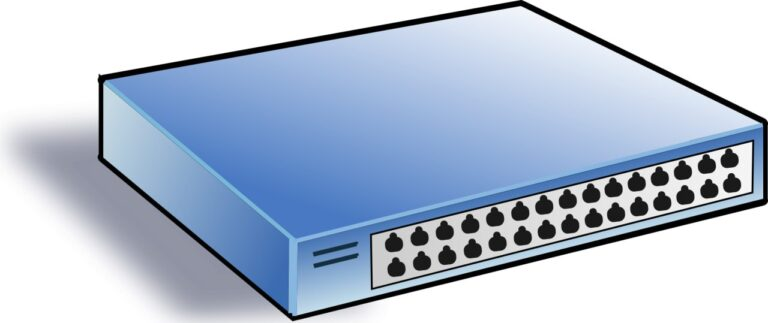
How does a L2 Switch work

The main task of a switch is to unite devices into a single network. It transmits data received on one of its interfaces to another based on the source and destination MAC address information contained in the transmitted frame.

Their logic is based on the Switching Table. As soon as a new host appears on the network and tries to transmit any information, the switch records that a new MAC address has appeared on one of its interfaces. A switch records this data in the form of a table like this:


Interface X - MAC address Y

Read more →
Switch

Cisco Catalyst 9200 Switch Overview and Configuration

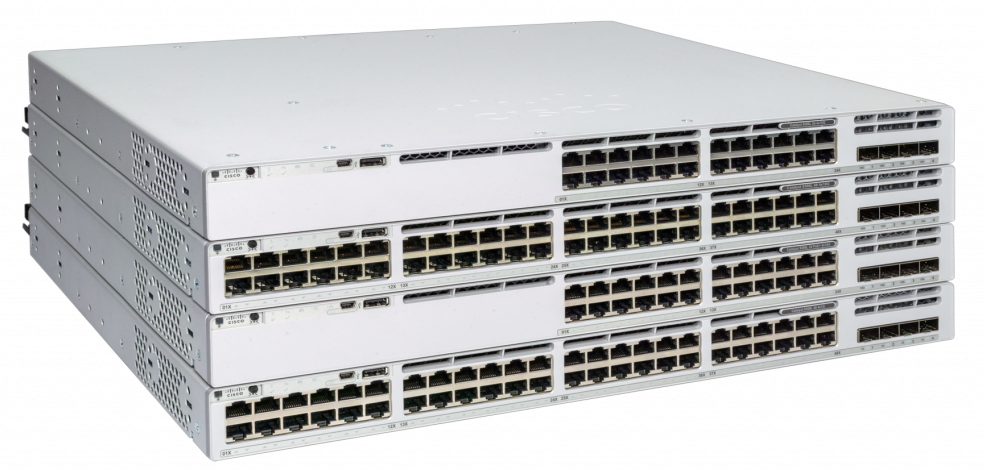
Cisco Systems' advertising announcements will tell you about the latest 21st-century technologies in the all-new Cisco Catalyst 9200 series of switches, which is positioned to create LANs for small and medium-sized offices.

Everything new and technological is always liked by IT directors and other management personnel, but not by network engineers and IT administrators. But do not be afraid this time, because the new bright design and improved features essentially hides the updated, but good old Cisco 2960 switch, used everywhere, loved by network engineers for its ease of setup, convenience and reliability.

Cisco Catalyst 9200 Switch Overview and Configuration Configure Cisco Catalyst 9200

Configuring a Cisco Catalyst 9200 switch is almost exactly the same as configuring a Cisco Catalyst 2960 switch, with the exception of a few new features that will not be required by most companies.

You can safely use the following articles to configure the Cisco Catalyst 9200 as a switch for connecting users, printers, and other LAN resources. The differences will only be in the configuration of the interfaces, since the Cisco 9200 has at least 1G.
Read more →
Routers

Configuring L2TP on Cisco router

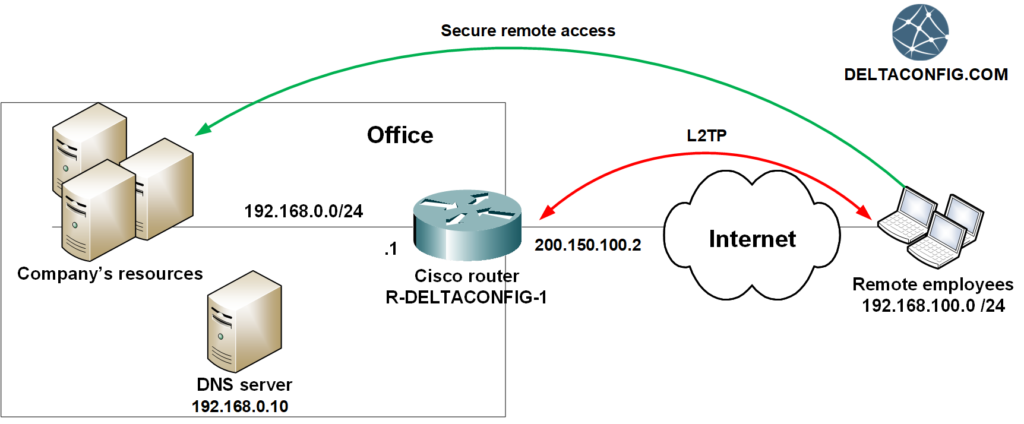
L2TP technology on Cisco routers is usually used when it is necessary to provide simple and secure remote access for company employees.


Technology benefits

Read more →
Routers

Secure work from home (L2TP)

The situation occurred due to the coronavirus pandemic demonstrated the importance of having remote access for employees to the company resources. Which of course, has to be easy, convenient and secure.

Recently remote access technology was a privilege mainly for top managers and administrators. Now, it is a vital need even for an ordinary employee.

The technology itself and different ways of remote connections already exist for a long time. However, due to its weak spread, most managers don't understand which equipment is needed and how such access can be set up. And most importantly - how much does it cost?

What do we offer

For those companies and managers, who value their time and resources, my colleagues and I offer a turnkey solution for establishing remote access VPN based on the Cisco Systems equipment.

Read more →
Routers

IP SLA on Cisco Router

Sooner or later, but every company faces the problem with the Internet connection being out of order. And right after that, the question about backup channel arises. What settings needed to be done to automatically switch to backup link in case of an accident?

This article describes the configurations for Cisco 881 routers and similar models (1841, 1941, 2900, 3800...). If you have Cisco ASA, the settings for it are described in the article Dual WAN on Cisco ASA.

One of the easiest and most effective ways to configure a Cisco router - is using the IP SLA monitor. The device will track the availability of the primary Internet provider, and once the connection is lost (certain address won't respond to ICMP requests during several seconds), it will forward traffic through the backup link.

Read more →
Cisco ASA

Cisco ASA port forwarding explained

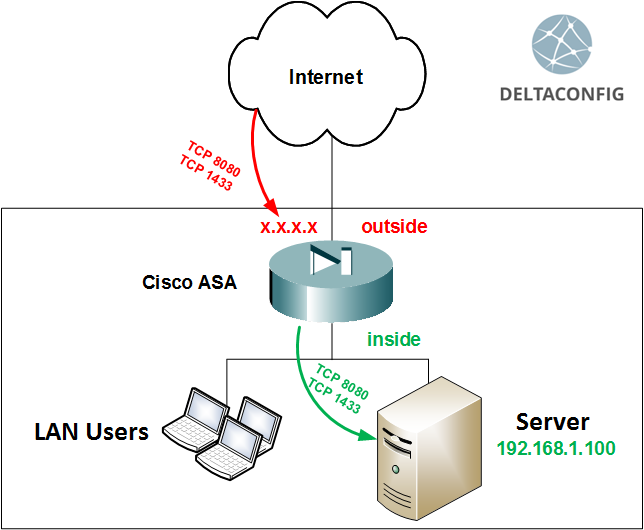
One of the most frequent issues connected with the Cisco ASA configuration is the so-called "port forwarding". In other words, the NAT configuration that allows users from the Internet to enter the internal company servers.

Basic NAT settings for the users' access and internal resources on the Internet are described in the article "Basic configuration of Cisco ASA", and the principle of using the NAT technology for one or another case - in "Using NAT on Cisco router". While this article, in particular, covers the configuration for the publication of the internal resources on the Internet.

For successful implementation, there are two steps required:

Read more →
Routers

ip nat outside on cisco router

Overlapping IP address ranges in your own LAN and the local area network of the organization you're partnering with is a common issue that network administrators are faced with in their daily jobs. The textbook solution for this issue is NAT.
Let us skip the explanations of how to do basic configurations for dynamic and static NAT scenarios that you use when you need to hide your internal IP address behind a public IP address in order to get access to outside resources (dynamic NAT), or allow internal resources to be available from the outside world (static NAT). You can find tutorials for these types of configurations in the "Basic Configuration of Cisco Router" and "Basic Configuration of Cisco ASA" articles, as well as the "Using NAT" article.

Destination address substitution

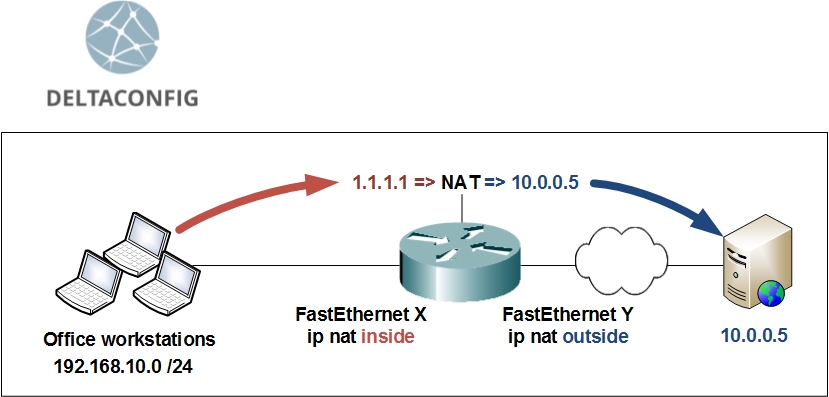
Let us look at an example, in which we need to create a special IP address, that is used to impersonate the real IP address that overlaps with something in your network, and redirects the traffic towards the real destination.

10.0.0.5 – the actual IP address of the server that you need to gain access to
– dummy IP address, that will redirect the user's traffic to 10.0.0.5

Read more →
Cisco ASA

Failover on Cisco ASA

Before getting into the configuration details of Cisco ASA backup scheme (called failover), I would like to point out a few rules regarding the technology itself:

There are exceptions to these rules, but I am deliberately not mentioning them in this article, so that the possible problems with the configuration can be brought to a minimum.

When configuring failover, the order in which you enter the configuration commands, as well as the order in which you connect two Cisco ASA devices together, is more important than the configuration itself.

Read more →
Routers

Using NAT on Cisco Routers and ASA

The hardest thing about NAT in Cisco routers and ASA firewalls is understanding how to use the technology in real life. Tons of guide papers have been written, the Internet is full of gigabytes of information on the topic, yet the subject remains relevant. Truth is, 95% of absolute majority of people will only need to use just one of the two types of connections.

1) PAT (Port Address Translation)

A bunch of internal IP addresses are translated into a single external IP address when connecting to the outside world. While each packet destined to outside networks is being processed by a router or a Cisco ASA, the correlation of the actual internal IP address and port number of the source of the TCP connection is being remembered, which allows to correctly perform the reverse translation and transfer return packets.
This kind of NAT is used when you need to allow access to external resources (such as the Internet).

2) Static NAT

This is translating addresses one-to-one. A specific public IP address is put together with an internal IP address. This kind of NAT translation is used when you need access world to a server or resource or a DMZ.

Read more →
Tips and Tricks

Configuring logging on Cisco devices

One of the best ways to understand why Cisco ASA or Cisco router are not passing traffic as needed and exactly what part of configuration is incorrect is to check the event log file. Problem is, the logging of events is turned off by default, and the command sh log will not give you meaningful output, unless you configure logging on your Cisco device.

In order to turn on logging of events, you have to execute the following commands

This configuration will allow you to capture all possible events occurring in the device's RAM, while limiting the log file to 128 Kbit. This should be sufficient for analyzing approximately the last 5 to 30 minutes of events, depending on how heavy is the traffic load on your device.

You can see the captured data with the command sh log

Read more →